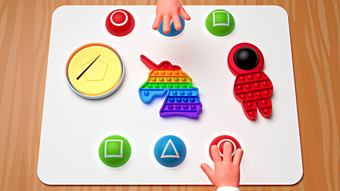

Pop It Simulator for Roblox
Overview
Pop It Simulator for Roblox is a free desktop application developed by Fun Fidget Games, designed to deliver a digital version of the popular fidget toy known as the "Pop It." The software operates as a simulation tool, allowing users to interact with a virtual pop-it mat in a manner that mimics the tactile experience of the physical version. Its primary purpose is to provide a calming, repetitive, and satisfying interaction, ideal for users seeking stress relief or a momentary distraction. Target users include Roblox players, fidget toy enthusiasts, and individuals looking for light, engaging desktop utilities.
The application is available in multiple languages, including English, Spanish, and Italian, making it accessible to a broad international audience. While the software is not a game in the traditional sense, it serves as a tool for relaxation and playful engagement. Real-world usage scenarios include using it during study breaks, work pauses, or as a mental wellness aid.
The developer did not provide additional system requirements, and the application's compatibility with specific hardware or software environments remains unspecified.
Key Features & Capabilities
- Realistic Pop-It Simulation – The software replicates the tactile sensation of pressing and releasing the individual bubbles on a pop-it mat. Each click produces a satisfying visual and auditory feedback, enhancing the immersive experience.
- Multi-Language Support – Available in English, Spanish, and Italian, ensuring accessibility for a diverse user base across different regions.
- Lightweight Desktop Utility – With a file size of 23.4 MB, the application is compact and designed to run efficiently without consuming significant system resources.
- Roblox Integration – Designed specifically for Roblox users, the tool complements the Roblox ecosystem by offering a fun, interactive desktop companion.
- Stress-Relief Focus – The repetitive, rhythmic interaction supports mindfulness and relaxation, making it a useful tool for users managing anxiety or seeking mental breaks.
Users can engage with the virtual pop-it mat by clicking individual bubbles, triggering animations and sounds that mirror the real-life experience. This functionality is particularly beneficial for those who enjoy fidgeting as a way to maintain focus or reduce stress. The application’s minimal design ensures that it does not distract from other tasks, making it ideal for use during multitasking or short mental resets. Its compatibility with both Windows and Mac operating systems allows for broad accessibility across personal computing platforms. The developer did not specify additional features beyond the core simulation, and no advanced customization options were noted.
User Interface, Workflow & Performance
The user interface of Pop It Simulator is minimal and intuitive, focusing on a single interactive element: the pop-it mat. The layout is clean, with no unnecessary menus or toolbars, allowing users to begin interacting immediately upon launch. Navigation is straightforward—users simply click on the bubbles to activate them, with immediate visual and audio feedback.
The workflow is highly efficient, requiring no setup or configuration. The application launches quickly and remains responsive during use. Performance observations are based on general software behavior patterns, as exact performance details were not specified.
The developer did not provide information on CPU or RAM usage, nor did they detail stability under prolonged use. However, the lightweight nature of the software—23.4 MB—suggests low system demands. The application is designed to run in the background without interfering with other tasks.
The developer did not specify whether the software includes auto-updates or background processes.
Compatibility & System Requirements
Pop It Simulator is available for both Windows and Mac operating systems, making it accessible to a wide range of desktop users. The current version is listed as 0, which may indicate an early or development release. The installation size is 23.4 MB, a compact footprint that suggests minimal storage impact.
The developer did not provide detailed system requirements, including minimum CPU, RAM, or graphics specifications. As a result, exact compatibility information is limited. Platform compatibility information is partially provided, with no mention of specific Windows or Mac versions.
The application supports English, Spanish, and Italian, but no other languages were listed. Users should be aware that the lack of detailed system requirements may affect installation or performance on older or less powerful machines. The developer did not specify whether the software requires an internet connection or if it functions entirely offline.
Pros and Cons
Pros
- Free to download and use with no hidden costs
- Compact size (23.4 MB) ensures minimal storage impact
- Simple, intuitive interface suitable for all user levels
- Offers stress-relief and fidget-friendly interaction
- Available in three languages for broader accessibility
Cons
- No detailed system requirements provided
- Version number is listed as 0, which may indicate an unstable or incomplete build
- Limited to a single core function with no customization options
- No information on update frequency or developer support
- Unclear whether the software requires an internet connection
FAQ Section
Is Pop It Simulator compatible with Windows and Mac?
Yes, the software is available for both Windows and Mac operating systems, as stated by the developer.
Does Pop It Simulator require an internet connection to run?
The developer did not specify whether the software requires an internet connection. It may function offline, but this has not been confirmed.
Can I use Pop It Simulator on older computers?
While the application is lightweight at 23.4 MB, exact system requirements were not listed. Compatibility with older hardware cannot be guaranteed.
Is the software safe to download and install?
Pop It Simulator is published on Softonic, a reputable software distribution platform. However, the developer did not provide security details or verification certificates.
Does Pop It Simulator support custom themes or skins?
No customization options were mentioned in the provided information. The application appears to offer a fixed interface and design.
Final Thoughts
Pop It Simulator for Roblox delivers a focused, satisfying experience centered on a single, well-executed concept: the digital recreation of a fidget toy. Its minimalist design, lightweight footprint, and multi-language support make it accessible and easy to use for a broad audience. While the lack of detailed system requirements and the version number of 0 raise questions about its maturity, the software remains functional for its intended purpose.
It serves as a valuable tool for stress relief, mental breaks, and playful interaction, particularly for Roblox users and fidget enthusiasts. The absence of advanced features or customization is a limitation, but it also ensures a distraction-free experience. For users seeking a simple, free desktop utility that provides immediate gratification and calm, Pop It Simulator is a compelling choice.
Download Pop It Simulator now.







